Create Central Park Public API Credentials
Set up access to the Central Park Public API directly within the Central Park portal
*You must be a Customer Administrator with existing access to the Central Park portal to be able to create and manage Public API Credentials
-
Log in to Central Park
-
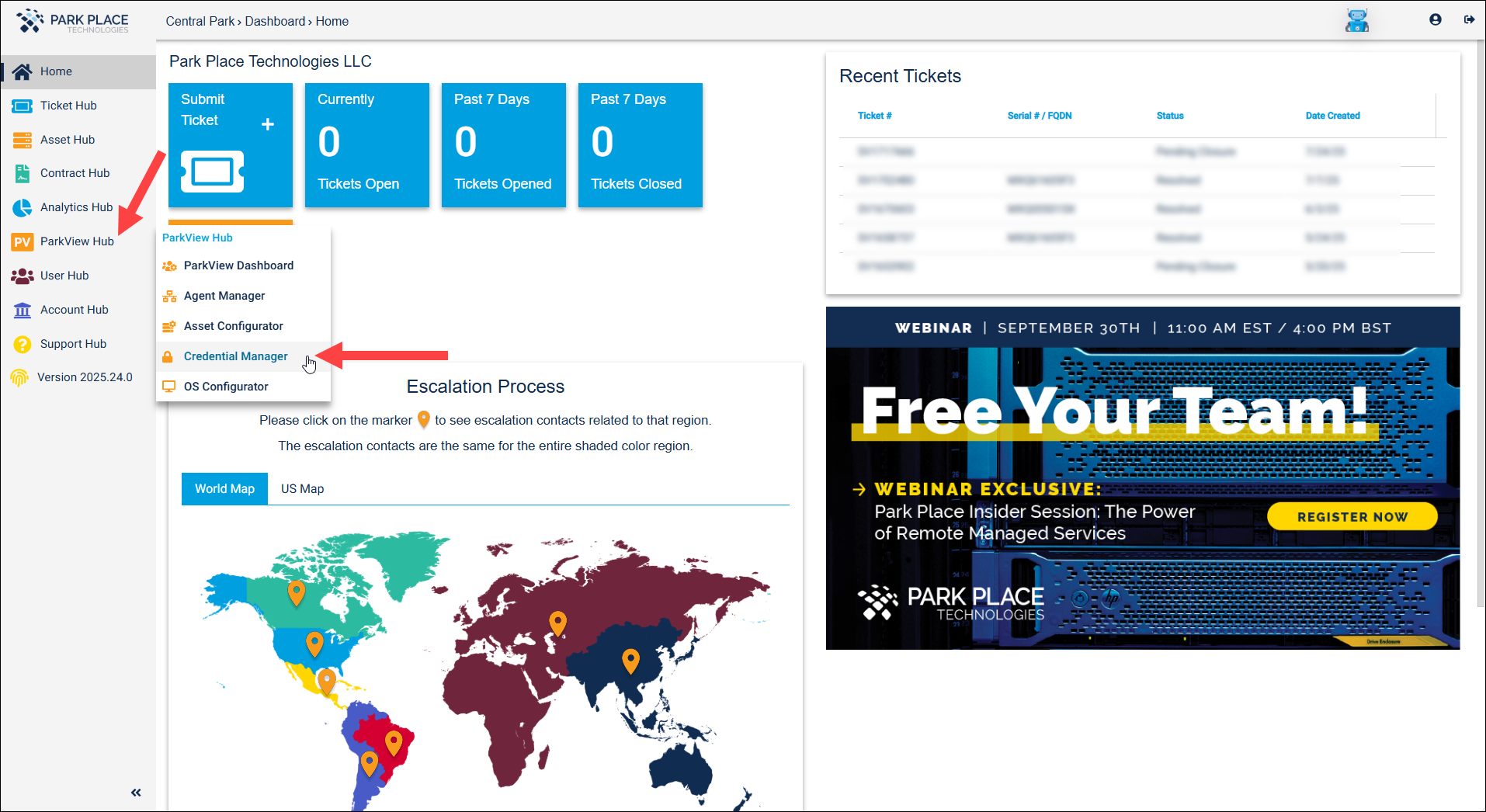
Navigate to ParkView Hub and select Credential Manager
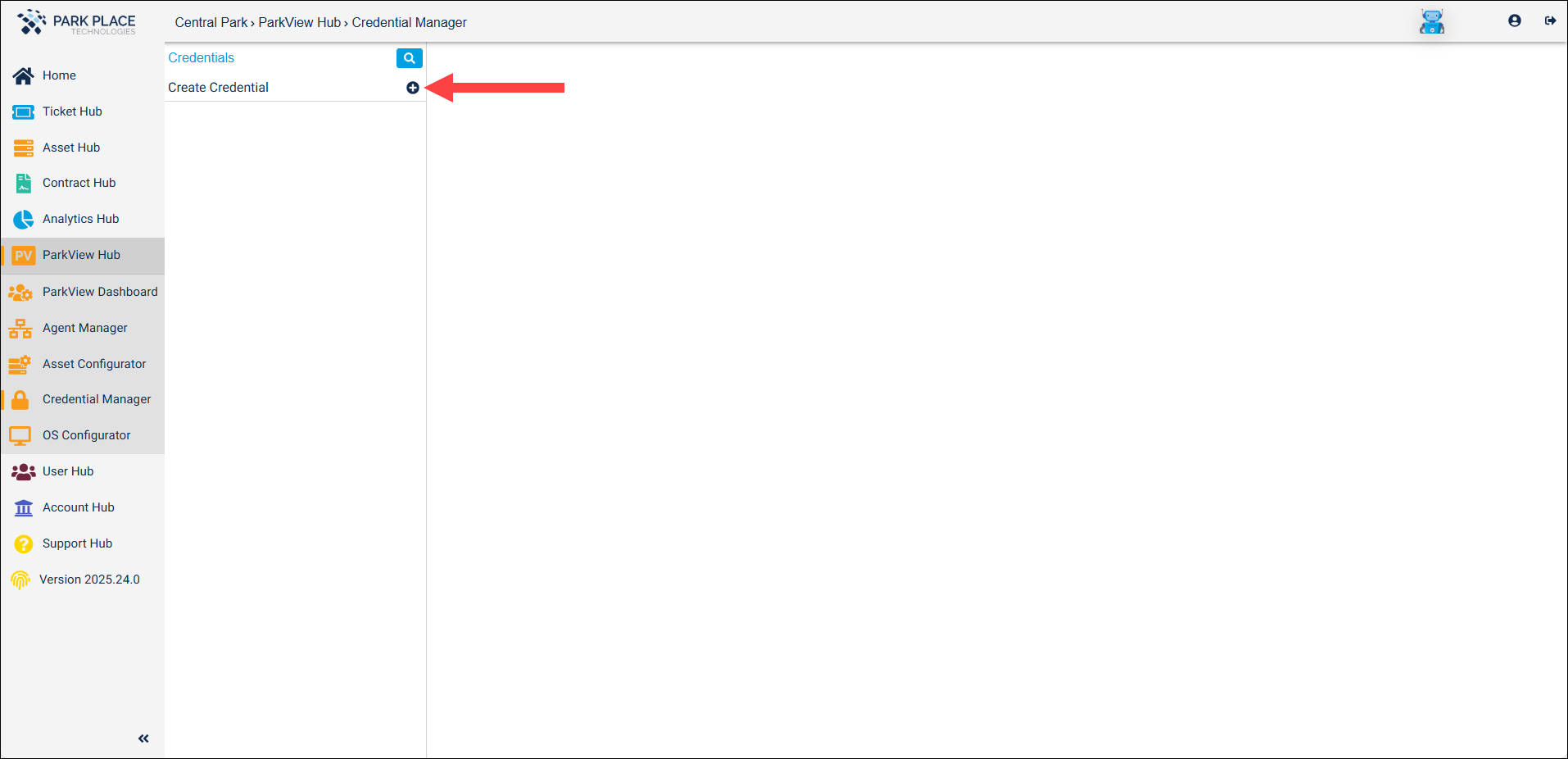
- Select Create Credential
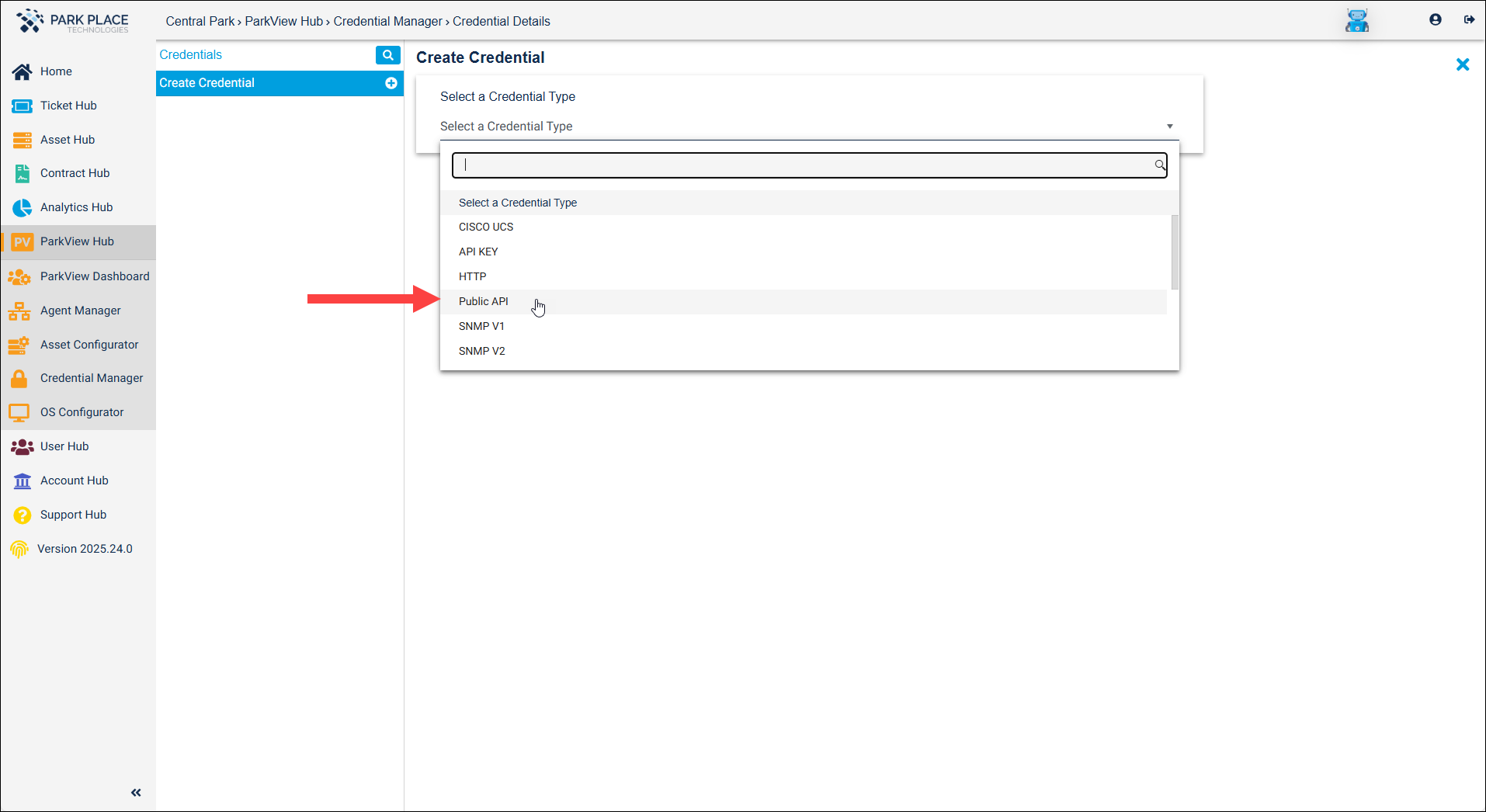
- Next, click “Select a Credential Type” and choose “Public API”
- Click Generate and Save Public API

- The credentials will be created and displayed for you to copy
-
Client ID
-
Client Secret*
*For security reasons, the Client Secret will be displayed only one-time